Guide
Packing video vs. CCTV
All-day footage or one video per order?
Many warehouses already have security cameras, so the question is fair: why record packing separately? The two answer different questions. CCTV shows what happened in a room over a day. A packing video shows what went into one box. This guide compares them for one job: answering a damage, wrong-item or missing-item claim.
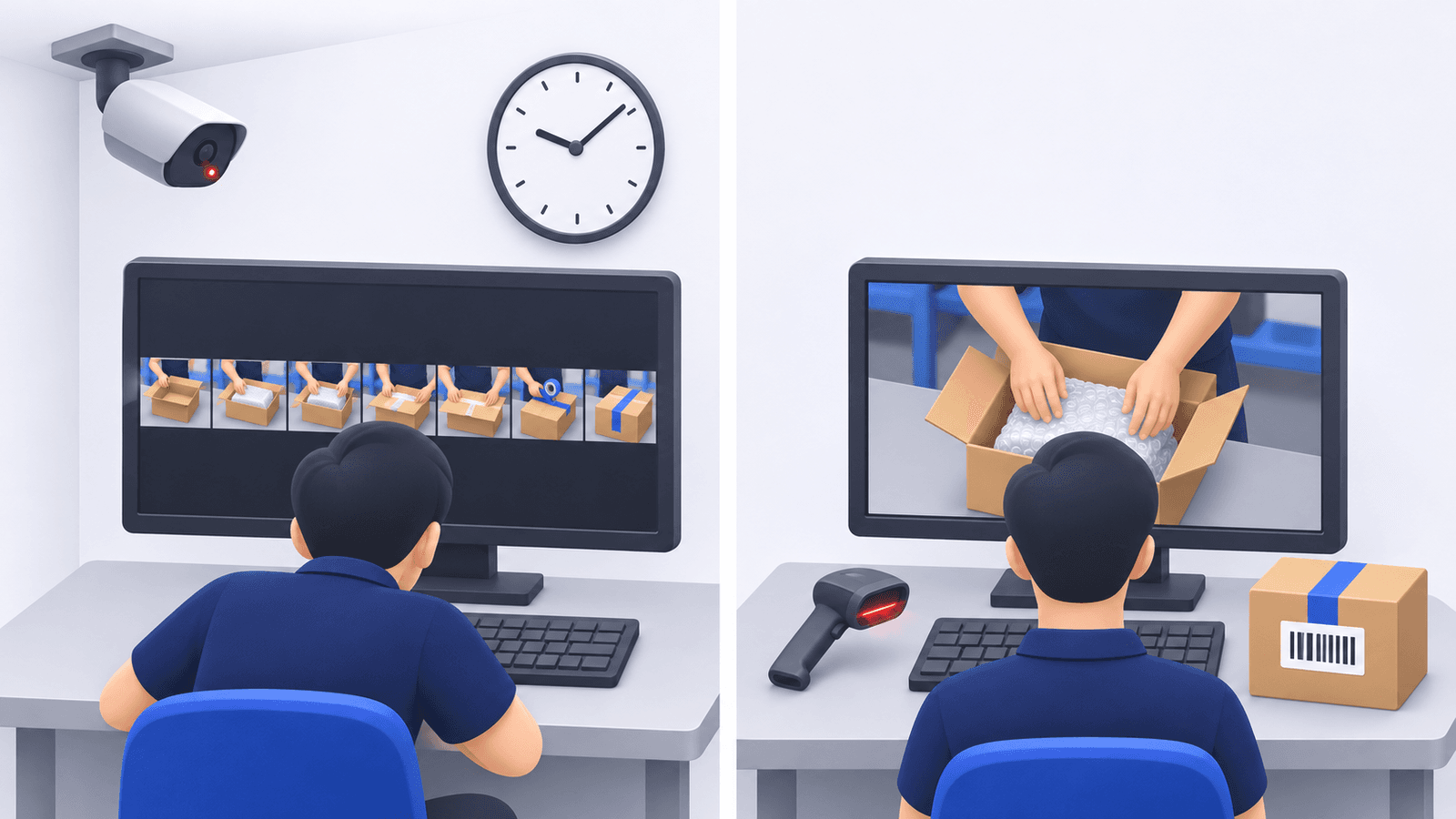
What each one is built for
CCTV (security cameras)
Records all the time, usually from the ceiling or a wall, to cover a room: who came in, what happened at the dock, where a pallet went. It is built for security and safety.
Packing video
Records one order at one packing station, from the first scan of its barcode to the second. It is saved under the order number or tracking number and is built for answering questions about that order.
Where CCTV falls short for a claim
A customer writes that an item was missing. To check with security footage, you would:
Find out when it was packed
The recorder knows times, not orders. First you look up the packing time in your order system, if it was recorded at all.
Scroll to that moment
Open the right camera and the right day, and move through the timeline until the box appears.
Try to see inside the box
A camera on the ceiling shows the room. Whether it shows three items or two going into a box several meters away depends on distance and angle.
Get the clip out
To show the customer or the carrier, the clip has to be exported from the recorder, and it may show other people and other orders.
There is also the question of time. A recorder overwrites its oldest footage when the disk is full, so how far back you can go depends on the disk size and the number of cameras. A claim that arrives after that point has no footage at all.
Side by side
| CCTV | Packing video (ZeroPacking) | |
|---|---|---|
| Starts and stops | Records all the time | A barcode scan starts it, a second scan ends it |
| Unit | Camera and time of day | One video per order |
| Finding an order | Look up the time, then scroll through the footage | Type the order number or tracking number; part of the number is enough |
| What you see | The room, from a distance | The work area of one packing station, from above |
| How long it is kept | Until the disk is full and old footage is overwritten | 3 months in the cloud, then deleted automatically |
| Showing a customer | Export a clip from the recorder | A share link to that one video, with an expiry date |
| Sound | Depends on the camera | Picture only |
| Good for | Security, safety, theft, the whole floor | Damage, wrong-item and missing-item claims, and return inspections |
How a per-order video is made
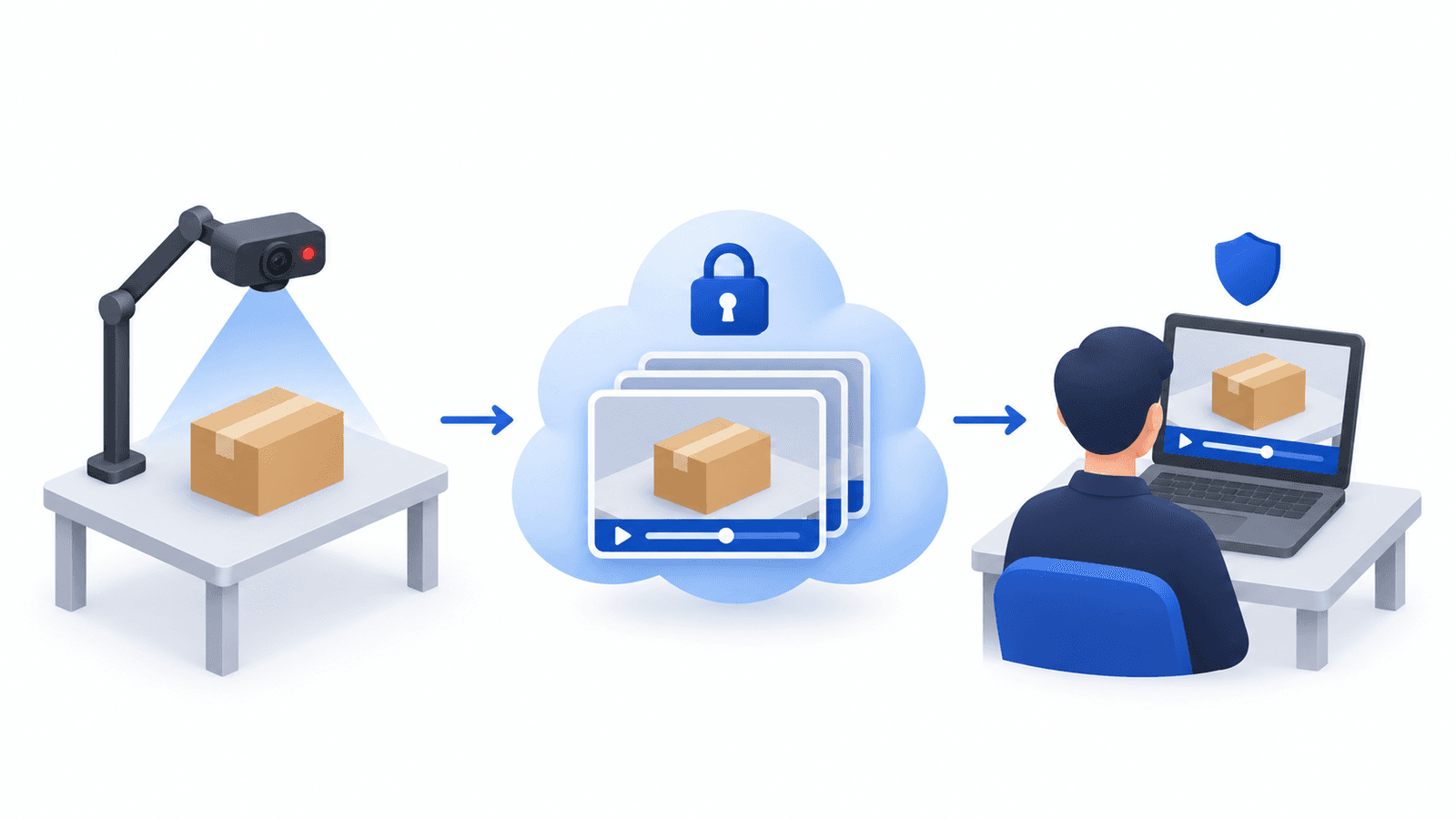
A USB webcam above the packing table is connected to a Windows PC. The packer scans the barcode on the packing slip or label, packs as usual, and scans again. The video uploads by itself and is found later by its number. See how to set up a packing station.
Do you need both?
Usually, yes. One does not replace the other.
- Keep CCTV for what happens away from the packing table: receiving, storage, the loading dock, security after hours.
- Add packing videos when you answer claims regularly, when several people pack, or when finding one order in the footage takes more time than you can spare.
- CCTV alone can be enough if you ship a few orders a day and can remember when each one was packed.
Tell your team
Whichever you use, tell the people who work there what is recorded, why, and for how long, and follow the rules that apply where you operate. A camera aimed at the work surface records the order, not the person.
Try per-order packing videos
Keep your security cameras and add one packing station. With a Windows PC, a USB webcam and a barcode scanner you can start the 15-day free trial.
US$29.99 per packing station per month · Annual plan: US$299.90 for 12 months · pay for 10 months