Guide
What is a packing video?
Video proof for damage and missing-item claims
A packing video is a recording of one order being packed, saved under its order number or tracking number. When a customer writes that an item arrived broken, or that the wrong item was in the box, you can look at how the package left. This guide covers why sellers keep packing videos, how to record them, and how they are used day to day.
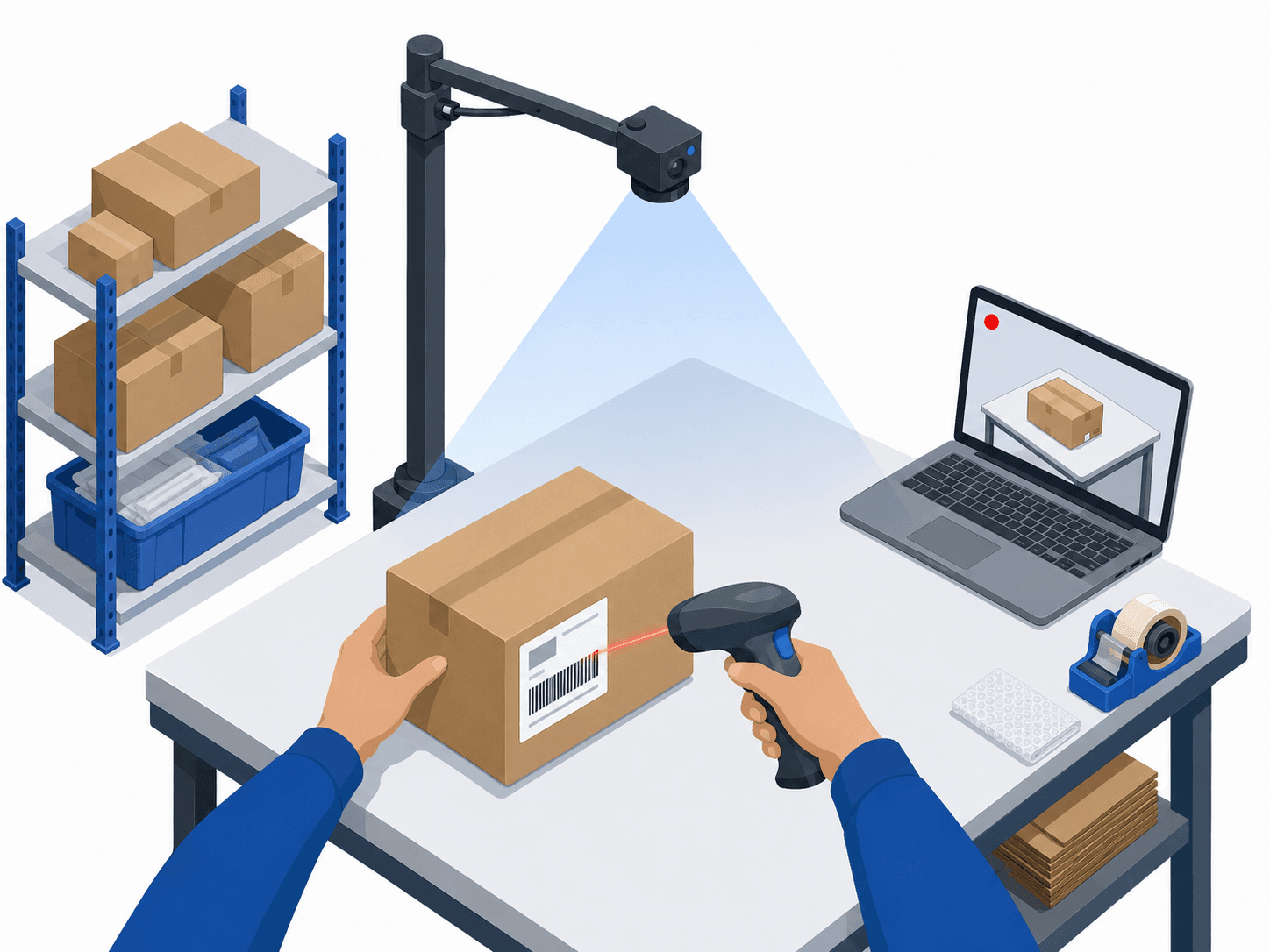
One barcode scan starts the packing video
What a packing video is
A packing video films an order from the items going into the box to the box being sealed. Unlike a security camera that records all day, each order has its own video, and you pull it up by order number or tracking number. You see the packing of one order, right away.
A packing video keeps a record of:
- Whether the items match the order (for wrong-item messages)
- How many items went in and what condition they were in (for missing-item and damage claims)
- The padding, the box and the tape (a record of how it was packed)
- The shipping label and the sealed box (how the package looked when it left)
Why sellers keep packing videos
If you sell on Amazon, eBay, Etsy, Shopify or your own store, messages like these arrive after an order ships. Without a record of how the order left, a refund or a reshipment is often the only answer.
Damaged on arrival
The customer says it was broken when it arrived. If the video shows the item intact and padded when the box was sealed, you can tell a packing problem from damage in transit.
Wrong item
The customer says this is not what was ordered. The video shows which item went into the box.
Missing item
The customer says one was missing. Count the items in the video as they go into the box.
A quick estimate
Ship 3,000 orders a month and get a damage or wrong-item message on 0.5% of them, and that is 15 cases every month. If each one ends in a refund or a reshipment, the cost and the time add up. With a packing video you check what happened first, then decide how to respond.
How to record packing videos
There are three common ways to keep packing videos. Each has its strengths and its limits.
1. Filming by hand on a phone
Easy to start, hard to keep up as orders grow.
Pros
Almost no upfront cost
Cons
Every order takes extra effort, and the clips are hard to organize and search. It rarely lasts once volume picks up
2. Recording all day with a security camera
Common, but finding one order takes time.
Pros
Little extra cost if cameras are already installed
Cons
Footage is not tied to order numbers, so finding the moment one order was packed means going back through hours of video
3. Automatic packing video recording
RecommendedA barcode scan starts the recording, and each order is saved to the cloud as its own video.
Pros
Packers work as usual and every order gets its own video, found by number in seconds. Saved to the cloud automatically
Cons
A monthly fee per packing station
How automatic recording works
STEP 1
Scan the barcode
Scan the barcode on the packing slip or shipping label, and recording starts.
STEP 2
Scan again when packed
Scan once more when the box is sealed. Recording stops and the video uploads to the cloud by itself.
STEP 3
Search by number
When a customer writes in, type the order or tracking number and the video comes up.
Where the camera goes matters as much as the method: see how to set up a packing station. If you already have security cameras, see packing video vs. CCTV.
Putting packing videos to work
Packing videos pay off when they are used: in everyday customer service and in making packing better.
Answer claims quickly
When a customer says an item arrived damaged or was missing, look up the packing video by tracking number and see how the package left. If it helps, send the customer a share link to the video; the link expires.
Back up a carrier claim
Whichever carrier you ship with, USPS, UPS, FedEx or DHL, the video is found by tracking number. When damage in transit is suspected, it shows the condition of the package when it was handed over.
Record return inspections
Scan a returned package before opening it, and the unboxing and inspection are kept the same way.
Improve packing and train staff
Watching the videos for an item that keeps arriving damaged makes the cause easier to spot: too little padding, the wrong box size. The same videos show new packers how it is done.
Connect your own systems
An API is available, so a WMS or an in-house tool can pull up videos by order number. Contact us if you would like to use it.
Returns have their own guide: how to record return inspections.
Start recording packing videos today
With a Windows PC, a USB webcam and a barcode scanner you can start right away. Try it first with the 15-day free trial.
US$29.99 per packing station per month · Annual plan: US$299.90 for 12 months · pay for 10 months